FinAssist Copilot
A multi-theme analyst workspace that lets finance teams browse bundled PDFs, capture figures, and interrogate an AI copilot trained on every uploaded document. FinAssist unifies PDF.js rendering, OCR, and vision reasoning so research sessions stay in one place.
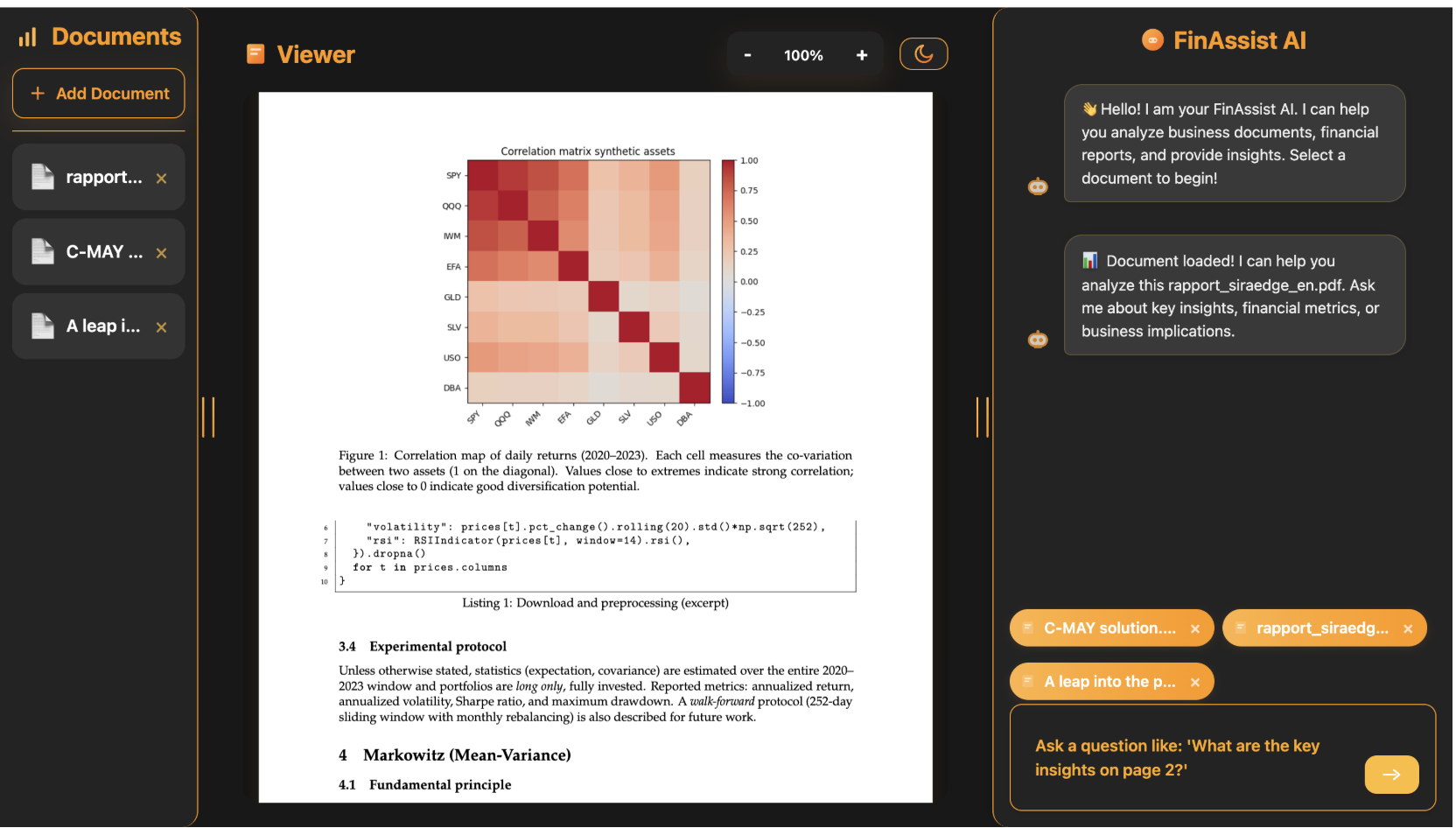
Product Overview
FinAssist Copilot was born from a simple idea: analysts should not jump between Acrobat, Slack, and ad-hoc scripts just to understand a research note. The platform delivers a cohesive cockpit—documents on the left, full PDF rendering in the middle, and an embedded AI assistant on the right that understands every chart, caption, and table.
The experience leans on a Surseoir-inspired design system with 3D cards, motion cues, and light/dark themes that maintain focus during long reading sessions. Under the hood, a Python services layer handles OCR, chart extraction, and OpenRouter calls before streaming structured insights back to the chat surface.
Experience Highlights
- Document Sidebar: drag-and-drop PDFs, bundled research decks, or internal memos with instant navigation.
- Real Rendering: PDF.js powers selectable text layers, annotations, and 100% zoom fidelity for tables.
- FinAssist Chat: context-aware prompts such as “Summarize the risk factors on page 12” or “Explain the correlation heatmap”.
- Vision Pipeline: charts, tables, and illustrations are described using OCR + OpenRouter vision models so the copilot references visuals accurately.
- Dual Theme Toggle: seamless switch between light and dark surfaces while preserving contrast ratios, typography rhythm, and micro-interactions.
- Offline Cache: IndexedDB keeps uploaded PDFs accessible even when the API layer is offline.
Key Capabilities
Document Workspace
The left rail displays bundled files such as rapport_siraedge_en.pdf, client memos, or user-uploaded decks. Each item primes the assistant with metadata (sector, tags, timestamps) for better grounding.
PDF.js Viewer
Smooth scrolling, live thumbnails, and selectable text ensure analysts can quote content precisely. The viewer exposes locator APIs that the chat surface uses to highlight referenced pages.
Conversational Assistant
The assistant listens to the active document context, merges OCR outputs, and answers finance-focused questions. Users can ask for KPIs, risk factors, or scenario summaries without leaving the page.
Vision Reasoning
Each detected chart or table goes through utils/vision.py, which runs OpenRouter models with descriptive prompts, caches the response, and returns structured captions. Results feed both the chat assistant and the hover tooltips inside the viewer.
Surseoir Design System
Custom 3D cards, layered shadows, and modular typography modules deliver a premium workstation feel. Every component is crafted for low-light environments to reduce fatigue during long reviews.
AI & Vision Workflow
When a user loads a PDF, each page flows through a deterministic pipeline:
- PyPDF2 extracts text blocks and layout hints that prime the LLM context.
- OpenCV + NumPy detect charts or tables, converting them into clipped bitmaps.
- Pytesseract + Pillow run OCR on high-resolution crops, producing clean text layers.
- OpenRouter vision models interpret the visuals; responses are cached in
vision_cache.json. - The chat assistant merges textual + visual summaries to answer follow-up prompts instantly.
Why It Matters
By condensing document navigation, PDF rendering, and AI reasoning into a single environment, FinAssist dramatically reduces the time between reading a report and sharing actionable insights. Analysts can cite exact figures, reference visualizations, and tap a domain-aware copilot without alt-tabbing. It is the type of workflow upgrade that capital markets teams deserve: thoughtful UX backed by reliable infrastructure.